Google Home setup · Philippines

Google Home setup that runs on routines.

One phrase, one schedule or one trip out the door can run your whole house. We set up Google Home for Android and iPhone households in Angeles, Mabalacat, Tarlac City, Malolos and the rest of Pampanga, Tarlac and Bulacan.

1. Starter

2. Actions

Your routine

When I say “Hey Google, good night”

  • Turn off the lights
  • Lock the front door

Preview only. Nothing here is connected.

Made by Google

The Google Home devices we build your home around.

We use Google's own devices as the backbone of the system. They work with Google Home from day one, get updates directly from the maker, and we place them where they work best in your home.

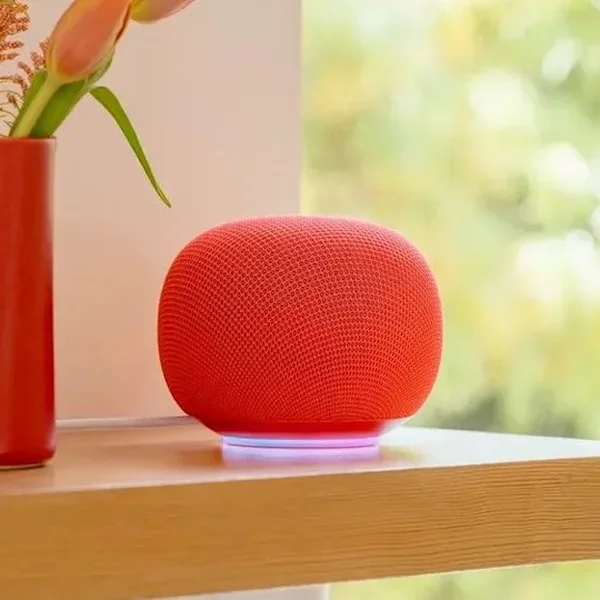
Google Google Home Speaker

Google · Speaker

Google Home Speaker

Best for: Living rooms and bedrooms

  • Fuller sound than the older Nest Mini
  • Works with Gemini, Google's newer voice assistant
  • Built-in hub for Matter and Thread devices
MatterThread border router

Google's current speaker and our default for adding voice control and a hub in one.
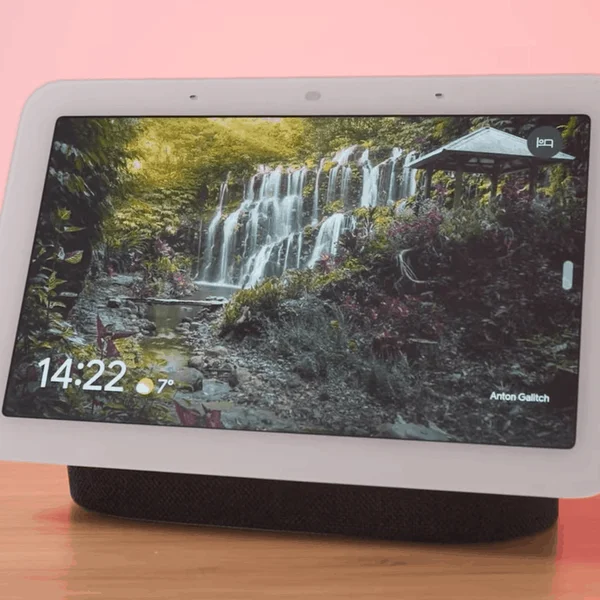
Google Nest Hub (2nd gen)

Google · Display

Nest Hub (2nd gen)

Best for: Bedside tables, kitchens and desks

  • 7-inch screen to see controls, cameras and routines at a glance
  • Photo frame when idle, so it looks at home on a shelf
  • Built-in hub for Matter and Thread devices
MatterThread border router

A compact screen that blends into the room.

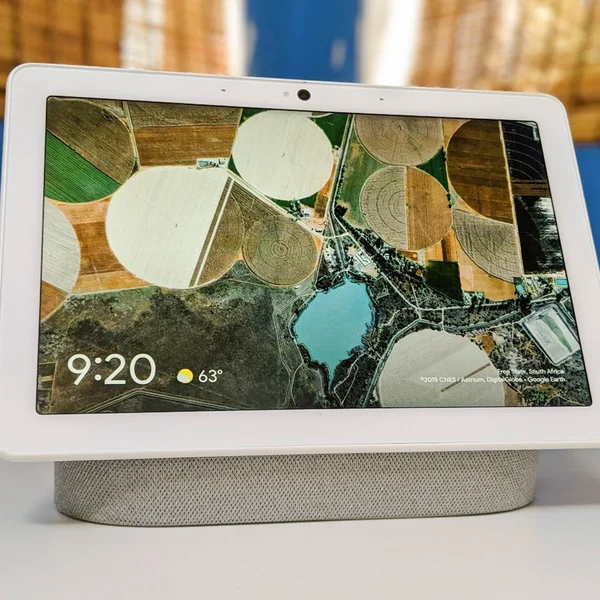
Google Nest Hub Max

Google · Display

Nest Hub Max

Best for: Kitchen, family room or home office

  • Larger 10-inch screen with a built-in camera for video calls and home checks
  • Microphone and camera can be switched off with a physical switch
  • Built-in hub for Matter and Thread devices
MatterThread border router

The big screen for the room the family actually lives in.

Features are the maker's published capabilities and can change. Availability and pricing in the Philippines vary, so we confirm stock and give you a written quote before anything is bought.

Ask about Google Home

What we set up

Google Home, set up to run itself.

  1. 01

    Google Home app and household

    We create your home in the Google Home app, invite the family and put every device in the right room.

  2. 02

    Nest speakers and displays

    We place Nest speakers and displays where you will actually use them. Some Nest devices also act as Matter and Thread hubs.

  3. 03

    Routines

    Routines start from a voice phrase, a time, sunrise or sunset, or when you leave home, then run as many actions as you like.

  4. 04

    Cameras, TV and speakers

    Cameras, Chromecast or Google TV and speakers are tied into the same home, so movie night is one phrase.

  5. 05

    Matter devices

    Matter devices pair to Google Home directly and stay usable if you change platforms later.

A good fit if

  • You use Android and want everything to connect to your phone.
  • You like the idea of routines that run on their own schedule.
  • You already use Google services like Chromecast, Google TV or Nest.

Worth knowing

  • Features change often, so some routine options vary by device and region.
  • Voice commands need the internet, like most cloud assistants.
  • Not every brand supports Google Home, so we check before you buy.

Where we work

Google Home setup in Pampanga, Tarlac and Bulacan.

Pampanga

Google Home installation in Angeles City, Mabalacat and San Fernando, with the router and WiFi checked as part of the job.

Tarlac

Google Home installation in Tarlac City, with the router and WiFi checked as part of the job.

Bulacan

Google Home installation in Malolos and Meycauayan, with the router and WiFi checked as part of the job.

Somewhere else in Luzon? Message us first and we will tell you honestly if we can help. See our city pages for Angeles City, Mabalacat, San Fernando and Tarlac City. You can also see our other smart home services.

Google Home questions

Quick answers.

Not sure which one?

Get Google Home set up the first time.

Tell us about your house and we will plan the devices, the rooms and the routines, then send a quote before anything is bought.

Alexa is a trademark of Amazon.com, Inc. Apple Home, HomeKit and HomePod are trademarks of Apple Inc. Google Home and Nest are trademarks of Google LLC. Smarter Home PH is an independent installer and is not affiliated with these companies.